You put a “create an account” link on one site of a WordPress multisite. Visitors who click it land on the main site, which either says “Registration has been disabled” or signs them up there instead.
wp-login.php?action=register) forwards to it, and the network setting decides what happens next: closed, it says “Registration has been disabled”; open, it signs the visitor up on the main site’s pages, opens registration on every site at once, and creates an account that belongs to no site. The per-site “can register” flag doesn’t change that. To keep multisite subsite registration on the subsite, give it a sign-up form of its own and point the link there. If the site runs WooCommerce, that form already exists: switch on registration on the “My account” page, and add three small hooks so old links and the return trip go to it.Table of Contents
The symptom: the link leaves the site
Take a test network with three sites: the main site, /alpha/ and /beta/. /alpha/ is a small shop, and its product reviews need an account, so each product page says “log in or create a free account”. Network registration is closed, which is the default.
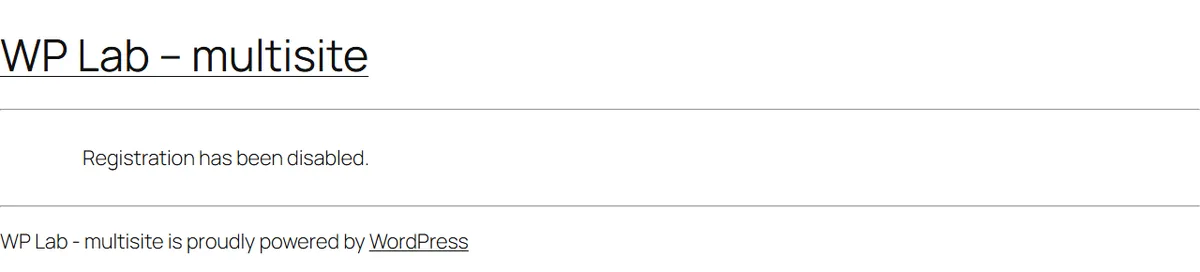
Click “create a free account” on /alpha/ and the browser goes to example.com/wp-signup.php, the main site’s sign-up page, which answers:
If the subsite has its own domain, it is worse: the visitor ends up on a different domain, and an account made there doesn’t sign them in on the subsite, because login cookies belong to one domain.
Why: one sign-up page for the whole network
Think of a shopping mall with one customer-service desk. Every shop can hand you a loyalty-card form, but the form sends you to the mall’s desk, and the card it issues is a mall card, not a card for the shop you were in.
On a multisite, four pieces of WordPress core work together:
- The standard register link,
wp_registration_url(), is<site>/wp-login.php?action=register. - On a multisite, that address doesn’t show a form. It forwards to the network’s sign-up page,
wp-signup.phpon the main site. A subsite’s ownwp-signup.phpforwards there too. wp-signup.phpruns only on the main site, and the network setting (Network Admin > Settings > Allow new registrations) decides what it does.- The per-site “can register” option (
users_can_register) isn’t really per site on a network. Core overrides it with the network setting, and a subsite’s General Settings screen doesn’t even show the checkbox.
Visitor clicks Register on the subsite: wp-login.php ?action=register
On a multisite it always forwards to the network's sign-up page, wp-signup.php on the main site.
Closed: "Registration has been disabled." Open: sign-up on the main site's pages; the account joins no site.
Fix: give the subsite its own sign-up form (WooCommerce's My account registration is one) and point the Register link at it.
A multisite has one sign-up desk, and it sits on the main site. Every subsite’s Register link walks there.
Step 1: Forcing the flag on for one site is a trap
The first idea is usually to switch registration on for the one site that needs it. Forcing users_can_register to true for /alpha/ (with a small filter, since there is no checkbox) does make a Register link appear on its login screen. The link still goes to the main site’s sign-up page, which still says “Registration has been disabled”. The flag only decides whether WordPress shows the link; the network setting decides whether sign-up works.
Rule it out and move on.
Step 2: Opening network registration opens every site
Set Allow new registrations to “User accounts may be registered” and sign-up starts working, with three side effects the settings screen doesn’t mention:
- Every site gets a Register link,
/beta/included, even though only/alpha/asked for one. - The visitor signs up on the main site. The form, the “check your email” page, the activation email and the activation page all belong to the main site. The activation page also prints the new password on screen.
- The new account belongs to no site. It is a network user with no role on the main site,
/alpha/or/beta/. Logging in on/alpha/lands on the network’s bare user dashboard (/wp-admin/user/), and/alpha/‘s Users screen doesn’t list it.
One detail surprises people: that site-less user can still comment on /alpha/. “Users must be registered and logged in to comment” checks for a login, not for membership of the site.
Open network registration and a visitor joins the network, not your site. They can comment anywhere, and belong nowhere.
Step 3: Core-only fixes, and the one that half works
Two routes stay inside WordPress core.
Carry the site along. Core’s sign-up keeps extra data with each pending account, and on activation it adds the user to a site named in that data (add_to_blog with a new_role). Pass the subsite’s id from its link to the form and into that data, and the visitor becomes a subscriber of /alpha/ only. Lock it down so other sites lose their Register link, and it behaves. The visitor still fills in the main site’s form and gets the main site’s emails, on the main site’s domain.
Give the subsite its own form. A small form on an /alpha/ page that calls core’s register_new_user() creates a subscriber of /alpha/ only, with network registration left closed. Then the emails pull the visitor back to the main site: the “set your password” link is built with network_site_url(), so it opens the main site’s login page.
Moving just that link to the subsite fails: the reset form still posts to the main site, while the reset cookie was set for the subsite’s login page, and WordPress answers “Your password reset link appears to be invalid”. What works is keeping every login address on the subsite. This filter does it, and on the test network sign-up, the email link, setting the password and logging in then all stayed on /alpha/:
<?php
// On a subsite, keep every wp-login.php address (password set, reset, login) on that subsite.
add_filter( 'network_site_url', function ( $url, $path, $scheme ) {
    if ( is_multisite() && ! is_main_site() && 0 === strpos( ltrim( $path, '/' ), 'wp-login.php' ) ) {
        return site_url( $path, $scheme );
    }
    return $url;
}, 10, 3 );
Code language: PHP (php)
That works, but you now own a sign-up form: validation, spam protection, the email wording. Most registration plugins are this same route in a box. If you use one, test that the password email and the reset form both stay on the subsite.
Step 4: If the site runs WooCommerce, use its My account form
WooCommerce has a sign-up form of its own, on the My account page, and it is per site. WooCommerce settings are stored for each site, the same split between files and per-site switches that makes deleting a plugin on multisite risky, so it can be on for /alpha/ and off everywhere else. Switch it on under WooCommerce > Settings > Accounts & Privacy > Account creation > On “My account” page (WooCommerce’s account settings explain each option):
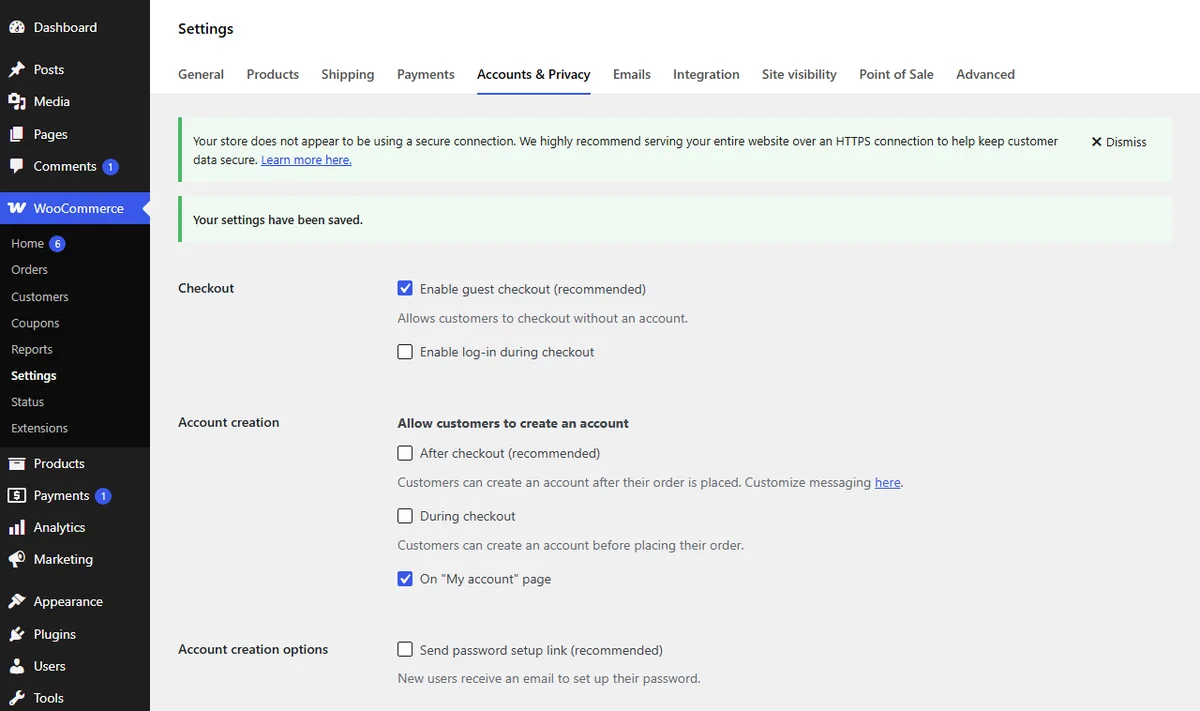
The My account page then shows a Register form next to Login. On the test network, registering there made the visitor a customer of /alpha/ only. Network registration stayed “none”, the welcome email linked to /alpha/, and WooCommerce’s own lost-password page and email (/alpha/my-account/lost-password/) stayed on /alpha/ with no URL fixes.
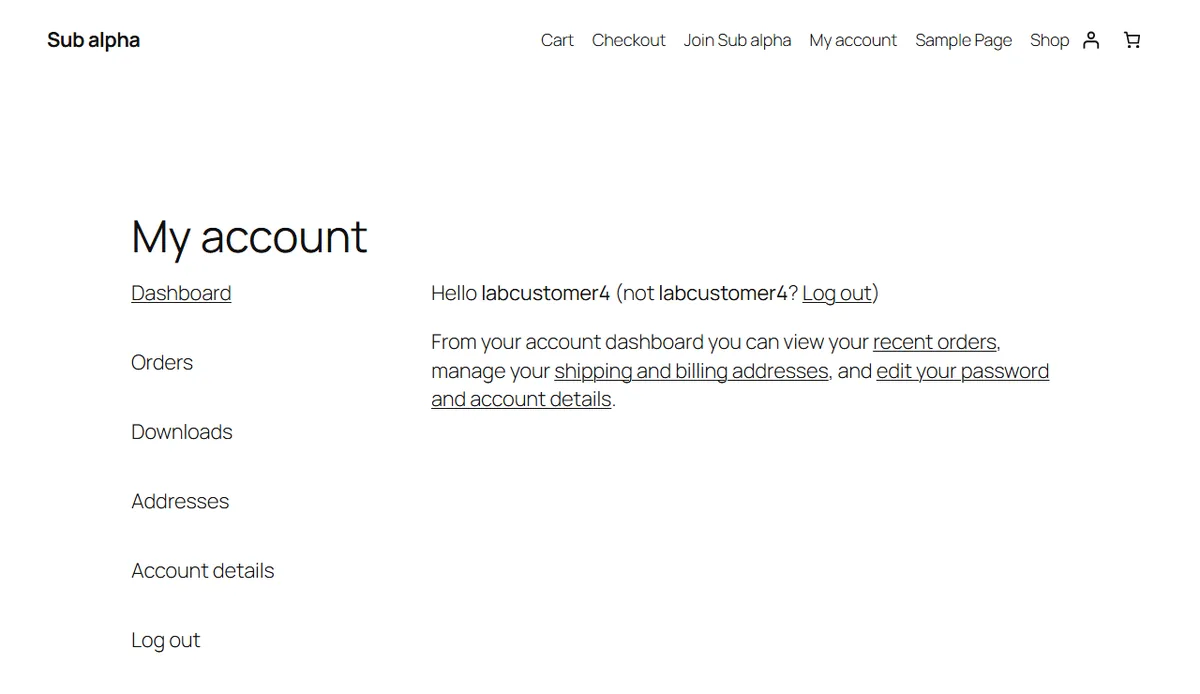
Two things still point at the main site: any link built with wp_registration_url(), and old wp-login.php?action=register addresses. Three hooks route them to My account, and bring a reviewer back to the product they came from. They do nothing while My account registration is off:
<?php
// Send sign-up links to WooCommerce's My account page on this site, and come back afterwards.
function example_account_signup_open() {
    return function_exists( 'wc_get_page_permalink' )
        && 'yes' === get_option( 'woocommerce_enable_myaccount_registration' );
}

// 1. Every "create an account" link (wp_registration_url) -> My account, returning to the reviews.
add_filter( 'register_url', function ( $url ) {
    if ( ! example_account_signup_open() ) {
        return $url;
    }
    $target = wc_get_page_permalink( 'myaccount' );
    if ( function_exists( 'is_product' ) && is_product() ) {
        $target = add_query_arg( 'redirect_to', rawurlencode( get_permalink() . '#reviews' ), $target );
    }
    return $target;
} );

// 2. Old wp-login.php?action=register links land on My account, not the main site's sign-up page.
add_filter( 'wp_signup_location', function ( $url ) {
    return example_account_signup_open() ? wc_get_page_permalink( 'myaccount' ) : $url;
} );

// 3. Pass the return address into WooCommerce's own "redirect" field (validated to this site).
add_action( 'woocommerce_register_form', function () {
    $to = isset( $_GET['redirect_to'] ) ? wp_validate_redirect( wp_unslash( $_GET['redirect_to'] ), '' ) : '';
    if ( $to ) {
        echo '<input type="hidden" name="redirect" value="' . esc_url( $to ) . '" />';
    }
} );
Code language: PHP (php)
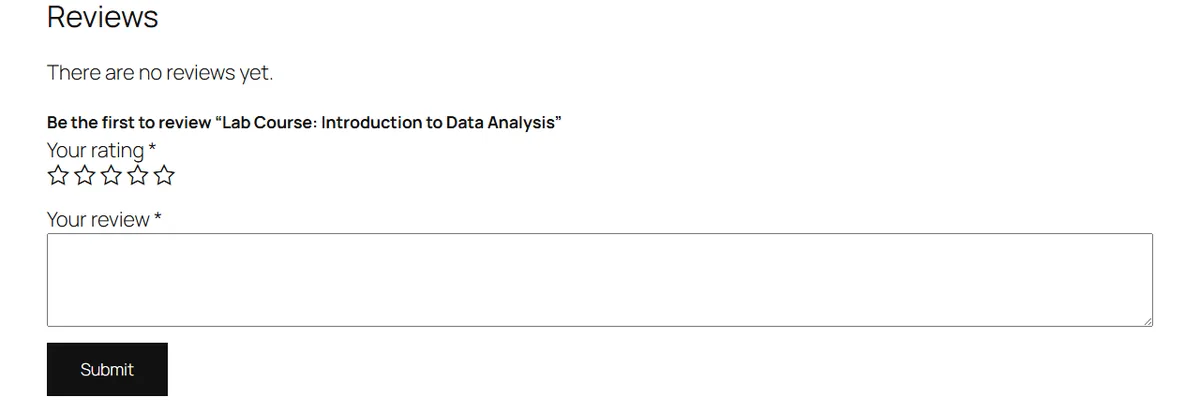
With them in place, the whole trip stayed on /alpha/: “create a free account” on a product, the My account page, register, back on the product’s review form already logged in, and the review posted and held for moderation.
Registration in WooCommerce’s My account form is a setting of one site, not of the network. That is the whole trick.
Before you open it to the public, add spam protection to the form (a hidden honeypot field needs no third-party script), and update your privacy policy: members now have accounts, and a review stores a name and an email address.
Which route to choose for multisite subsite registration
| Route | Member of | Sign-up pages and emails | Other sites affected |
|---|---|---|---|
| Force the per-site flag | nobody | dead end on the main site | no |
| Open network registration | no site | main site | every site gets a Register link |
| Network sign-up + carry the site | the subsite | main site | no, once locked down |
| Subsite form + keep login addresses on the subsite | the subsite | the subsite | no |
| WooCommerce My account + three hooks | the subsite | the subsite | no |
| Add users by hand | the subsite | the subsite (admin only) | no |
- The site runs WooCommerce: use My account registration and the three hooks.
- No WooCommerce: a subsite form (yours or a plugin’s) plus the
network_site_urlfilter; test the reset email. - A handful of known people: add them under Users > Add New on the subsite and skip public sign-up.
- Every site should share one membership: open network registration, and accept that sign-up happens on the main site.
The short version
A multisite has one sign-up page, on the main site, so every subsite’s Register link goes there. The per-site flag only shows or hides the link, and opening network registration opens every site and creates members of none. To keep sign-up on one subsite, give it its own form and keep the login addresses on it. If it runs WooCommerce, that form is a single setting, plus three hooks to route the old links.
Frequently Asked Questions
Can a member of one subsite log in on the others?
The account is network-wide, so the same username and password work on every site’s login page. Membership is per site, and it decides where the login lands: a user who belongs to no site goes to the bare user dashboard (/wp-admin/user/), and a member of another site is sent to that site’s dashboard. Each site’s Users screen lists only its own members; Network Admin > Users lists every account. On a network whose sites have different domains, the login itself is per domain too.
Does a registration plugin fix this?
Most of them build the second core route: a form on the subsite that creates the user there. Check two things on a test site before trusting one: that the “set your password” email links to the subsite, and that the reset form it opens also posts to the subsite. If either goes to the main site, the reset fails with “Your password reset link appears to be invalid”.
Why does the activation page show the new password?
With network registration open, core emails an activation link, and its activation page (wp-activate.php) shows the generated username and password on screen, as well as emailing them. Anyone looking at the screen sees it, so tell new members to change it, or use a route that sends a “set your password” link instead.

