Most comparisons list everything Pro adds and leave you to guess whether any of it matters to you. This one turns Pro’s features into yes-or-no questions about your site. One yes is a reason to buy; all no means the free plugin is enough. The free half of the answer was tested by switching Pro off on two live sites.
Table of Contents
The Rank Math Pro checklist
Read each question as a need, not a feature. Pro is worth it the moment one row describes your site.
| Do you need… | What Pro adds | If yes |
|---|---|---|
| Schema on many pages without writing code, a custom schema type, or schema copied from another site? | Schema templates with display conditions, a custom schema builder, schema import, 840+ types | Pro |
| Video schema filled in automatically for embedded videos? | Automatic video detection | Pro |
| More product SEO options for a WooCommerce store? | WooCommerce SEO PRO | Pro |
| Search and schema details for more than one physical location? | Local SEO with multiple locations and 193 business types | Pro |
| Daily Search Console data, more than 90 days of history, or keyword position tracking? | Daily refresh, 180 days of data, tracking for 500 keywords, index status per post | Pro |
| Internal links suggested or added for you, and broken or orphan pages found? | AI Link Genius, broken-link and orphan-page detection, automatic keyword linking | Pro (some parts also need a Content AI plan) |
| A news site, or a lot of video content? | News sitemap, video sitemap | Pro |
| More than five focus keywords on a post? | No keyword cap | Pro |
| Image captions and descriptions filled in automatically, or watermarked social images? | Image SEO PRO | Pro |
| Many redirects managed in bulk? | CSV import, .htaccess sync, 404 log export | Pro |
| SEO for client sites, not only your own? | Client-site licenses | Business or Agency plan |
All no? Stop here: the free plugin is enough, and the next section shows what it keeps doing.
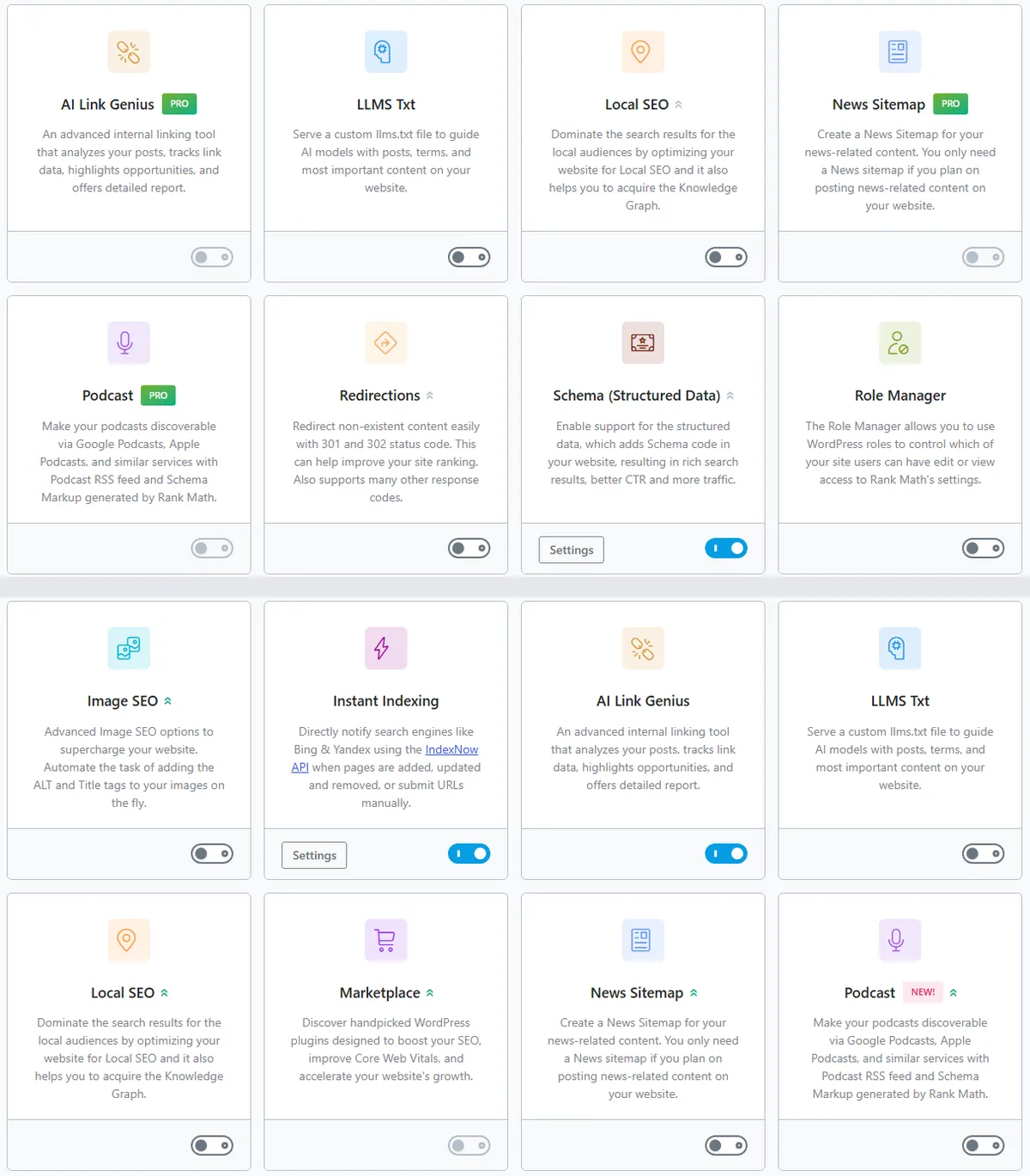
The Modules screen shows the split. With the free plugin alone, Pro-only modules carry a PRO badge and their switches are locked; with Pro active, the same modules can be switched on.
One honest yes in that table is a better reason to buy Pro than a long feature list.
What Rank Math free covers on its own
We switched Rank Math Pro off on two live sites, a WordPress blog and a WooCommerce course catalog, and compared every page type before and after. Rank Math was version 1.0.281 (free) with Pro 3.0.124, in November 2026.
| Checked | With Pro | Free only |
|---|---|---|
| SEO title, meta description, canonical | yes | same |
| Robots meta, including noindex rules | yes | same |
| Open Graph and Twitter cards | yes | same |
| XML sitemaps for posts, pages, categories and product taxonomies | yes | same |
| Schema graph: Organization, WebSite, WebPage, BlogPosting or Article, CollectionPage | yes | same |
| Table-of-contents navigation schema from the TOC block | yes | same |
| Redirections, including a regex redirect | yes | same |
| Image SEO: missing ALT and TITLE attributes filled in | yes | same |
| Local SEO organization details (name, logo) | yes | same |
local-sitemap.xml (the locations file) | yes | gone |
| Saved schema templates | yes | hidden from the admin |
Everything a typical blog or shop relies on for search came through unchanged. Two things went: the locations sitemap, which only matters for multi-location businesses, and the schema templates, which belong to Pro.
The free plugin also includes the redirect manager, a simple 404 monitor, instant indexing for Bing and Yandex, a role manager, up to five focus keywords per post, and Search Console analytics refreshed every three days with 90 days kept. If structured data is your main interest, the free plugin also exposes a filter that lets a few lines of code add or correct any schema type. Our FAQ schema guide shows that approach, and Course schema for WooCommerce uses it to turn store products into courses.
Titles, sitemaps, robots and common schema survived the switch untouched. Those are what most sites need.
What each “yes” gets you
Schema without code
The free plugin gives each page a sensible default schema and lets you choose a type for each post from a set of common ones. Pro adds schema templates: you build a schema once, attach a display condition (“all products in this category”), and it applies across the site. It also adds a custom builder and many more types (Dataset, Fact Check, Podcast, Speakable and others). If you would otherwise write code to get a type or apply it in bulk, Pro replaces that code with a form. One limit showed up in our test: a template adds its schema but doesn’t remove the default one, so a Course template on WooCommerce products left Rank Math’s Product beside the new Course until a short snippet took it out.
Local businesses with several locations
The free plugin publishes one organization. Pro adds separate locations, local business blocks and a KML locations sitemap. A single-office business doesn’t need it.
Search data and rank tracking
Both versions connect to Google Search Console. Rank Math’s comparison table lists free data as refreshed every three days and kept for 90 days; Pro refreshes daily, keeps 180 days and tracks the position of up to 500 keywords, with index status for each post. (The FAQ on the same Rank Math page gives slower refresh figures for both, so expect some variation.) If you check rankings weekly in another tool, this adds little.
Internal linking and broken links
Pro’s link features suggest internal links, insert them for chosen keywords and find broken links and orphan pages. Rank Math notes that the AI-powered parts also need a Content AI subscription, so budget for that if linking is the reason you buy.
Five focus keywords is the free ceiling
The free plugin scores a post against at most five focus keywords. Most posts need one primary keyword and two or three secondaries, so the cap rarely bites; Pro removes it.
Images, redirects and client sites
Pro can write image captions and descriptions from a template and watermark social images. It imports redirects from a CSV file, syncs them to .htaccess and exports the 404 log. Agencies need the Business or Agency plan for client sites, because the Pro plan covers your own sites only.
Switching between free and Pro: three things to know
Moving in either direction is safe, and your settings stay. Three effects are worth knowing before you switch.
- The schema label changes. With Pro active, Rank Math’s JSON-LD block carries
class="rank-math-schema-pro"; with the free plugin alone it isrank-math-schema. Nothing reads that class except custom code, so check any code of your own that looks for it. - Pro-only items disappear from the admin while Pro is off. Saved schema templates stay in the database, but their screen answers “Invalid post type” until Pro is active again. Edit or tidy them while Pro is on.
- Product listing pages change their schema shape. On a WooCommerce category page, Pro groups the products into one
ItemList; the free plugin lists each product separately inside an untyped group. Custom code that edits that list must handle both shapes. On our catalog it was the only thing that broke when Pro went off.
Upgrading or downgrading is safe; only custom schema code needs a second look.
What Rank Math Pro costs
As of 2026-11-07, Rank Math listed Pro at $5.59 a month billed yearly for unlimited personal sites, renewing at $8.99 a month ($107.88 a year before tax). Business, for up to 200 client sites, was $17.59 a month (renewing at $27.99), and Agency, for 750 client sites, $38.59 a month (renewing at $64.99). Prices change often, so check the Rank Math’s free vs Pro page and its current pricing before you buy.
The short version
Rank Math Pro pays for itself when your site needs something the free plugin can’t do: schema without code, several locations, daily data and rank tracking, automated linking, news or video sitemaps, more than five focus keywords, image captions, bulk redirects, or client sites. Without one of those needs, the free plugin covers titles, meta, sitemaps, robots, common schema, redirects and image alt text, and it kept doing all of that when we switched Pro off.
Frequently Asked Questions
Do I lose my settings if I switch from Rank Math Pro back to free?
No. Your titles, meta descriptions, focus keywords, redirects and sitemap settings stay and keep working. Pro-only features stop, and Pro-only items such as schema templates are hidden until Pro is active again. Switching Pro back on restores them.
Can I get more than five focus keywords without Pro?
Rank Math’s support has pointed users to a filter, rank_math/focus_keyword/maxtags, that raises the free limit. It only changes how many keywords the editor accepts and scores; the five-keyword limit is a scoring aid, not a ranking rule, so most posts are better served by one clear primary keyword.

